
What does an AI engineer actually do?
An AI engineer builds software that uses AI models to solve specific user problems. A useful application might search an organization's documents, answer questions with sources, or classify incoming support requests. The job is not simply typing a prompt and receiving a plausible answer. It involves software engineering, data handling, evaluation, security, reliability and responsible product decisions.
There is overlap between roles: an AI engineer often connects existing models to a working product; a machine-learning engineer may focus more deeply on training, serving or optimizing models; and an AI researcher develops or studies new approaches. You can start without a degree in AI, but becoming effective requires practice and evidence that your systems work under real conditions.
What do beginners need before AI engineering?
You need a place to run code, curiosity, and time to practice. A computer with Python 3 is convenient, but a trusted browser-based Python editor is enough for your first lessons. You do not need an expensive GPU, a paid LLM subscription or a powerful server to learn variables, loops, functions, tests and basic data work.
Learn these foundations in order: Python syntax and debugging; files, functions and simple tests; Git and command-line basics; then data tables, descriptive statistics and model evaluation. When those ideas make sense, AI model APIs and retrieval systems become much easier to build and debug. If Python is new, use our step-by-step first Python lesson before continuing. If you prefer a structured practice schedule, try our free 7-day Python for AI learning plan with working examples and a tested mini-project.
Build your first working Python project today
Project: a tiny study-time planner. Estimated practice time: 20–35 minutes if you are new to Python. Save this as study_plan.py and run it with Python 3. There is no AI model involved yet; that is intentional. You are learning how to make software produce output you can predict and test.
# study_plan.py
sessions = [20, 25, 0, 30]
weekly_goal = 120

studied = sum(sessions)
remaining = max(weekly_goal - studied, 0)

print("Studied:", studied, "minutes")
print("Remaining:", remaining, "minutes")
print("Goal met:", studied >= weekly_goal)
Expected output:
Studied: 75 minutes
Remaining: 45 minutes
Goal met: False
Try three changes before moving on: change the first session to 50; set the goal to 60; and add another session. For each change, predict all three output lines before running the file. That prediction-and-test habit transfers directly to AI evaluation later.
Debugging checkpoint: if you type weekly_goals instead of weekly_goal, Python raises a NameError. Read the error's line number and correct the variable rather than starting again. If you want more practice with loops and conditions, work through 10 beginner Python exercises with answers.
A practical 12-week AI engineering starter plan
This schedule is a suggested starting sequence for someone practicing around 6–10 hours per week; it is not a guarantee of competence or employment. Spend longer wherever your checkpoint fails. You can also follow our complete seven-stage AI engineering roadmap for the longer journey.
Write scripts with variables, strings, lists, dictionaries, functions and conditionals. Finish the study planner above. Checkpoint: explain each line and fix a deliberate mistake without help.
Read a CSV file, filter values, count records and summarize missing data. Use a small, non-sensitive dataset. Checkpoint: show the same result when the script is rerun, and describe the data's limitations.
Write reusable functions, basic tests, simple command-line tools and a clear README. Learn to use Git safely. Checkpoint: test a normal case, an empty input and an unexpected input.
Learn the difference between training, validation and test data; understand baselines, classification and precision/recall. Try a beginner scikit-learn example. Checkpoint: compare a model against a simple baseline without leaking test data.
Learn model APIs, structured outputs, token cost, timeouts and data privacy. Begin with a rule-based chatbot so you understand routing and fallback behavior, then explore a real model call in a safe environment. Checkpoint: distinguish fixed rules from generated answers.
Prepare a list of at least 10 questions with expected answers or acceptable outcomes. Run your app against each, record failures and improve one failure mode. Checkpoint: demonstrate what changed, not just a polished screenshot.
What to learn after the first 12 weeks
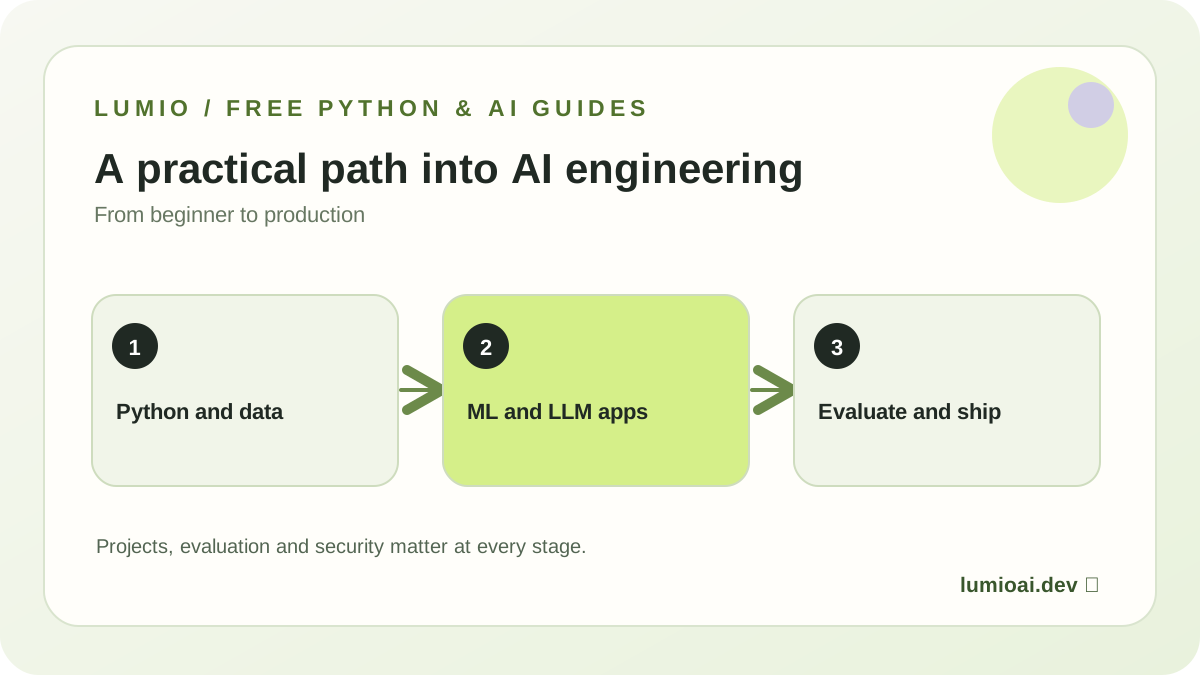
Once you can build and debug small programs, continue into data engineering, machine learning, deep learning foundations, and modern LLM applications. These layers are connected, but they are not interchangeable: a trained classifier is not the same as a chatbot, and a chatbot is not automatically an autonomous agent.
Retrieval-augmented generation (RAG) combines a retrieval system with a model so it can use information from a document collection. You should learn chunking, embeddings, search quality, citations and what happens when relevant evidence is missing. Tool-calling agents can request actions such as looking up information or invoking functions; those actions need permission boundaries, timeouts and auditing.
Production AI adds versioning, authentication, private key management, monitoring, latency and cost budgets, safe fallbacks, and tests for changes in model behavior. In most cases the best next project is not the largest agent. It is a small assistant with a measurable quality target, clear sources, and a graceful response when it does not know something.
Our AI engineering roadmap for beginners maps these skills from Python foundations through evaluation and deployment, while four beginner project ideas help you choose achievable builds.
How to prove what you learned
For each project, keep a small but complete evidence package. An employer, teacher or collaborator should be able to understand what you built and how you tested it without taking your word for it.
- Working source code: readable files, pinned dependencies when needed, and no exposed API secrets.
- A reproducible README: the problem, setup commands, example input and expected output.
- A baseline: a simpler alternative, such as keyword matching, so improvements can be measured.
- An evaluation set: examples the application should handle, including ambiguous and deliberately difficult inputs.
- Failure notes: show where it breaks, the impact of that failure, and what you tried to fix.
For a document question-answering assistant, a useful starter evaluation has questions with known supporting passages, questions with no answer in the documents, and misleadingly similar passages. Track whether the answer is supported and whether the model abstains appropriately. Exact metrics depend on the user need; do not assume one number means a system is safe or useful.
How this guide was prepared and reviewed
This learning path is organized by dependency: programming before model integration, reproducible data work before evaluation, and evaluation before deployment. Examples are deliberately small so a beginner can run them, predict the result and explain a failure. The guide does not treat completion time as proof of job readiness.
For deeper reference material, use the official Python tutorial, scikit-learn model-evaluation guide, NIST AI Risk Management Framework and OWASP guidance for LLM applications. Lumio uses these primary references to keep the roadmap grounded in software practice, measurable evaluation and responsible deployment.
Common questions about starting AI engineering
Can I learn AI engineering with no coding experience?
Yes, you can begin without coding experience. Learn Python and debugging first, then gradually add data, models, applications and deployment. The first projects should be small enough to test line by line.
Do I need advanced mathematics?
Not to write your first Python program or experiment with a model API. Over time, basic probability, statistics, vectors, optimization and model evaluation become valuable for understanding failures and choosing approaches.
How long does it take to become an AI engineer from scratch?
There is no reliable fixed deadline. Your starting point, weekly practice, depth of projects and the expectations of a specific role matter more than the date. The 12-week plan above develops foundations; meaningful production competence usually takes much longer and involves repeated projects, reviews and debugging.
Is the Lumio AI app available right now?
The free educational guides on this website are available now. Lumio's guided mobile learning missions, worlds and app experience are in development. The early-access waitlist is for launch updates, not immediate access to all planned lessons.
Should I start with machine learning or LLM apps?
Start with Python and practical software skills. After that, learn enough data and model evaluation to understand what you are measuring. You can explore LLM applications while strengthening machine learning fundamentals; neither path removes the need for testing and trustworthy sources.
Ready for a concrete next step? Finish the study-time planner today, then follow the free learning hub or join Lumio's waitlist for the planned mission-based app.