
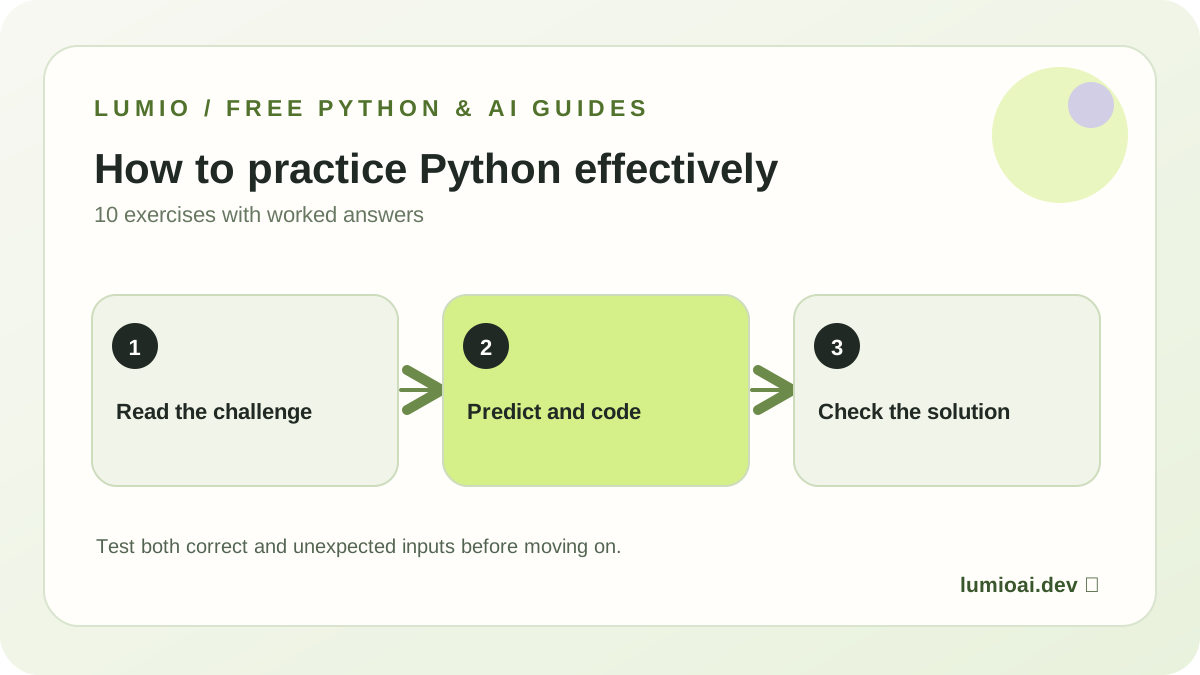
How to use this 7-day plan
Each day is one practice session, not a deadline. Take longer when something is confusing; the goal is to run and explain the code, not to collect seven checkmarks. Copy one snippet into a local Python 3 file or a trusted browser-based Python interpreter. No registration is needed for this lesson.
- Read the example and predict the output before running it.
- Copy the code exactly, run it and compare the result.
- Try the exercise, then expand the answer only after making your own guess.
- Keep a file called
practice-notes.mdwith one bug you fixed and what changed.
If you're entirely new to syntax, begin with our first Python program, 10 worked beginner exercises, and retrieval/RAG explainer. The official Python tutorial is a useful reference whenever you want a deeper explanation. The final day's retriever is not yet an AI model; building it makes later retrieval, ranking and evaluation ideas less mysterious.
Five foundation exercises, a small tokenizer, a rule-based document retriever, and two repeatable tests. You can demonstrate what the program does—and exactly where it fails.
Print an output you can predict
A program is a series of statements. Start with print(): it displays a string or number. A string needs quotation marks, but a calculation does not.
Try this with Python 3:
print("Hello, Python!")
print(7 + 5)
Expected result:
Hello, Python!
12
Your turn: Change the calculation to 7 * 5. Predict what changes and what stays the same.
Check your thinking
Only the second line changes. Python prints 35 instead of 12.
Store information using variables
Variables name values so you can reuse them. This is how a script can adapt to new input without rewriting the whole program.
Try this with Python 3:
name = "Alex"
minutes = 20
days = 5
print(f"{name} plans {minutes * days} minutes.")
Expected result:
Alex plans 100 minutes.Your turn: Change minutes to 30 and days to 4. Predict the output before running.
Check your thinking
Alex plans 120 minutes. A value changes in one place and the rest of the expression updates.
Make a decision with an if statement
Conditionals are the foundation of validation, branch selection, and safe fallbacks. Indentation tells Python which statements belong to the branch.
Try this with Python 3:
minutes = 35
if minutes >= 30:
    print("Practice target met")
else:
    print("Try a shorter session")
Expected result:
Practice target metYour turn: Set minutes to 0, then 29, then 30. Which branch runs each time?
Check your thinking
0 and 29 print Try a shorter session; 30 meets the threshold and prints Practice target met.
Use lists and loops to handle several values
Data often arrives as collections, not one variable at a time. This example totals study sessions and counts how many were completed.
Try this with Python 3:
sessions = [15, 0, 20, 25]
total = 0
completed = 0
for minutes in sessions:
    total += minutes
    if minutes > 0:
        completed += 1
print(total, completed)
Expected result:
60 3Your turn: Add a 10-minute session and predict both values. Why does the zero still appear in the list?
Check your thinking
The output becomes 70 4. The zero remains a recorded session but does not count as completed.
Write a testable function
Functions let you reuse logic and check it with repeatable tests. A useful function should handle ordinary inputs and reject invalid ones.
Try this with Python 3:
def weekly_minutes(minutes_per_day, days):
    if minutes_per_day < 0 or not 0 <= days <= 7:
        raise ValueError("Invalid practice plan")
    return minutes_per_day * days

assert weekly_minutes(20, 5) == 100
assert weekly_minutes(0, 7) == 0
print("Tests passed")
Expected result:
Tests passedYour turn: Try weekly_minutes(20, 8). What error do you expect? Add a test for a 30-minute, four-day plan.
Check your thinking
It raises ValueError. The new check is assert weekly_minutes(30, 4) == 120.
Turn text into searchable tokens
Text processing matters in search, classification, and AI applications. This simple tokenizer finds lowercase words; it is intentionally not a sophisticated NLP model.
Try this with Python 3:
import re

def words(text):
    return set(re.findall(r"[a-z]+", text.lower()))

assert words("AI, AI!") == {"ai"}
print(words("Python for AI"))
Expected result:
A set containing 'python', 'for', and 'ai' (display order may vary).
Your turn: Why does this tokenizer lose punctuation and word order? What would happen with non-English scripts?
Check your thinking
It extracts only ASCII letter sequences and returns a set, which removes duplicates and order. It will not correctly tokenize many non-English scripts. Production text search needs a better tokenizer.
Build and test a tiny document retriever
Your mini-project ranks three fixed text documents by shared words with a question. It is a keyword retriever, not a trained model, a chatbot, or a complete RAG system. Start with a baseline you can test.
Try this with Python 3:
import re

DOCUMENTS = [
    ("python", "Python helps automate tasks and build AI apps."),
    ("models", "Machine learning models learn patterns from data."),
    ("evaluation", "Evaluation tests if answers are supported."),
]

def tokens(text):
    return set(re.findall(r"[a-z]+", text.lower()))

def retrieve(question):
    terms = tokens(question)
    ranked = sorted(
        ((len(terms & tokens(text)), title, text)
         for title, text in DOCUMENTS),
        reverse=True,
    )
    if not ranked or ranked[0][0] == 0:
        return "No matching document."
    _, title, text = ranked[0]
    return f"{title}: {text}"

assert retrieve("How do models learn?").startswith("models:")
assert retrieve("xyzzy") == "No matching document."
print(retrieve("How do models learn?"))
Expected result:
models: Machine learning models learn patterns from data.Your turn: Write three new questions: one that matches a document, one that matches several, and one with no overlap. What happens when two documents receive the same score?
Check your thinking
The code breaks ties by the document title because tuples are sorted in reverse order. That is a known limitation, not a reliable measure of relevance. Consider stopwords, larger tests and a more meaningful ranking function before using this in a real application.
Review your mini-project like an engineer
Your day-seven program has a tiny corpus of three documents. Try a new question such as What does evaluation test? and one unrelated question such as How are stars formed?. Predict the response before running. Then add a fourth document and confirm it is returned for an appropriate question.
Keep the honest limitations: keyword overlap can miss synonyms, ignore word order, rank a less relevant document too highly, and perform poorly on languages outside its tokenizer. It has no model, vector database, or answer generation. A full RAG application adds retrieval of evidence to generation by an actual language model; you can see the distinction in our beginner RAG and document-retrieval tutorial.
Portfolio checklist: include a README.md with one command to run the script, two example questions, the exact expected responses, and a limitation. Show the test results rather than only a screenshot. This is small work, but it is reproducible work.
What to learn after these seven sessions
Next, practice 10 Python exercises with worked solutions, for and while loops with a study-tracker project, and functions with a reusable progress calculator, then build a rule-based Python chatbot with tests. If you want more project ideas, see four approachable beginner builds. When you can debug functions and reason about data, use the AI engineering roadmap and the 12-week beginner field guide to move toward real machine-learning models, evaluation and production systems.
Prefer learning as a sequence of guided missions? Lumio is building that experience. The early-access waitlist is for launch updates; joining does not provide immediate app access. Continue learning with Python if, elif and else practice.